Server virtualization consolidation revolutionized the enterprise data center. Prior to hardware abstraction, legacy IT infrastructure was plagued by the “one-server, one-application” paradigm. Physical rack servers operated at a mere 10% to 15% average CPU and RAM utilization, consuming massive amounts of power, floor space, and cooling. Virtualization broke this physical constraint, enabling multiple isolated operating environments to run concurrently on a single physical host.
1. What is Server Virtualization?
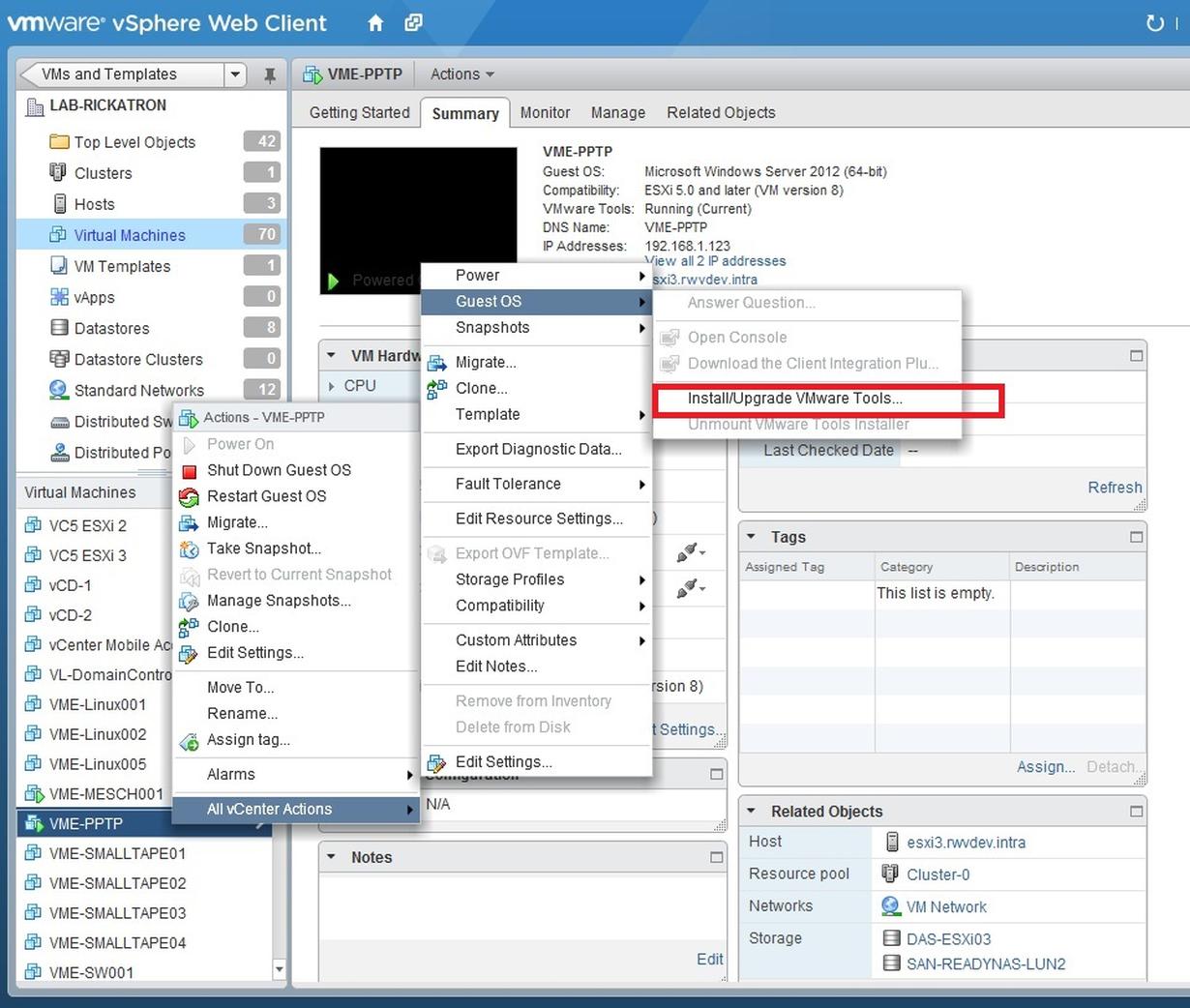
Server virtualization is the technology process of abstracting physical server hardware into software-defined components. A specialized software layer known as a Hypervisor or Virtual Machine Monitor (VMM) intercepts CPU, memory, storage, and network instructions, multiplexing physical hardware into multiple fully independent Virtual Machines (VMs), each running its own guest operating system.
2. Type-1 (Bare-Metal) vs. Type-2 (Hosted) Hypervisors
Hypervisors are engineered under two primary architectural approaches:
- Type-1 Hypervisors (Bare-Metal): Install and run directly on physical hardware with no intermediary host operating system. By directly controlling hardware interrupts and memory mapping, Type-1 hypervisors deliver near-native execution performance, rock-solid stability, and enterprise-grade security (e.g., VMware ESXi, Microsoft Hyper-V, KVM, Xen).
- Type-2 Hypervisors (Hosted): Run as software applications inside an existing host operating system (such as Windows or Linux). The guest OS must pass hardware calls through both the hypervisor and the host OS kernel, introducing overhead. They are primarily used for desktop virtualization, developer testing, and training environments (e.g., Oracle VirtualBox, VMware Workstation).
3. The Economics of Server Consolidation
Consolidating dozens of physical servers into compact, high-density virtual host clusters delivers dramatic business advantages:
- Capital Expenditure (CapEx) Reduction: Consolidating 50 physical servers down to 4 high-performance enterprise host nodes slashes hardware purchasing costs by over 70%.
- Operational Expenditure (OpEx) Savings: Fewer physical servers translate immediately into reduced data center square footage, slashed kilowatt-hour electricity consumption, and lower heat output requiring air conditioning.
- High Availability & Zero-Downtime Live Migration: Enterprise hypervisor clusters support live migration (such as VMware vMotion or Hyper-V Live Migration). Active, running virtual machines can transfer seamlessly between physical hosts across the network with zero service interruption during scheduled hardware maintenance.
- Disaster Recovery & Portability: A complete virtual machine is encapsulated within portable disk image files (e.g., .vmdk, .vhdx). Backups are simplified into point-in-time snapshots that can be replicated offsite and booted in minutes.
4. Hardware-Assisted Virtualization & Memory Management
Modern CPUs incorporate dedicated silicon instruction extensions (Intel VT-x, AMD-V) to accelerate hypervisor operations:
- Ring Deprivileging: Hardware extensions allow guest operating systems to run in non-root privilege rings while the hypervisor retains root ring 0 control, eliminating complex binary translation overhead.
- Memory Overcommitment & Ballooning: Hypervisors dynamically allocate physical RAM across VMs. Techniques like memory ballooning and transparent page sharing (TPS) ensure that idle VM memory is reclaimed and redirected to active workloads.
Frequently Asked Questions (FAQ)
Why is Type-1 hypervisor preferred in enterprise data centers?
Type-1 hypervisors run directly on the physical hardware without the latency, overhead, and security vulnerabilities of a host operating system, providing maximum throughput and enterprise uptime.
What is VM Sprawl and how is it managed?
VM Sprawl occurs when administrators provision virtual machines quickly but forget to decommission them when no longer needed. It is managed through automated lifecycle governance, quota limits, and regular capacity audits.
What is live migration in virtualized environments?
Live migration is the ability to move a running virtual machine from one physical host to another without disconnecting users or shutting down services, by synchronizing memory state across a high-speed network.
Conclusion
Embracing server virtualization consolidation is the definitive step toward building a flexible, cost-effective, and resilient IT infrastructure. By maximizing hardware utilization, hardening business continuity, and enabling rapid automated provisioning, virtualization provides the foundational bedrock for enterprise private and hybrid cloud architectures.
NUMA Pinning & Hypervisor Performance Tuning Checklist
When virtualizing high-concurrency database engines, cross-socket memory bus transactions (Non-Uniform Memory Access, NUMA) introduce unpredictable latency spikes. System engineers must bind virtual CPUs and memory allocations directly to physical NUMA nodes.
- vCPU-to-pCPU Pinning: Configure dedicated physical CPU affinities for high-throughput guest worker threads using
virsh vcpupinor ESXi latency sensitivity settings. - HugePages Allocation: Pre-allocate 1GB or 2MB HugePages in the hypervisor kernel to minimize Translation Lookaside Buffer (TLB) misses on massive memory footprints.
- SR-IOV Direct Passthrough: Bypass hypervisor virtual network switches by assigning PCIe virtual functions directly to guest network interfaces for microsecond-level packet throughput.
Architectural Takeaways for Server Consolidation
Modern virtualization transcends simple hardware emulation. By utilizing Type-1 hypervisors with hardware-assisted nested page tables, direct memory mapping, and NUMA-aware scheduling, infrastructure architects can achieve over 85% bare-metal performance while quadrupling server density. Always model memory overcommit ratios defensively to insulate critical database transactions from sudden resource starvation.
In summary, deploying high-density enterprise virtualization requires continuous performance profiling of CPU ready times, balloon driver inflation metrics, and virtual disk queue depths to ensure optimal application responsiveness across all guest virtual machines.